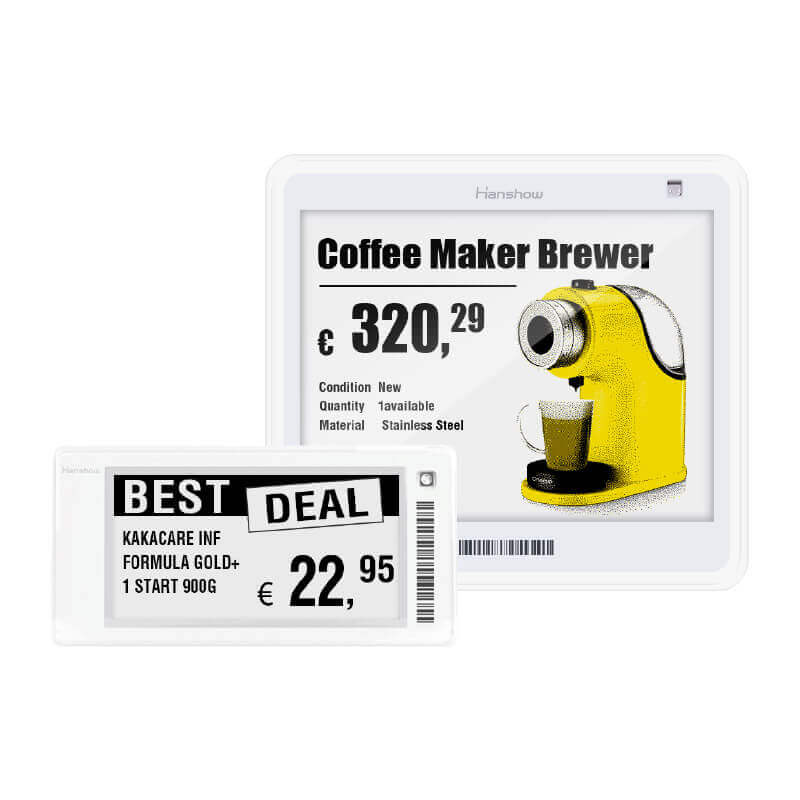
Why the old way breaks—what I saw on the shop floor
On a busy Friday at a suburban grocery (three wrong prices in 90 minutes) — how do stores expect to keep shelves honest? I put the best electronic shelf label through a real stress test and I’m still using Hanshow nebular pro on sites I manage. I vividly recall a trial on Oct 12, 2021 in Birmingham where we swapped 1,200 paper tags for ESLs and cut manual price-update time by 85% — errors dropped from a dozen daily to one or two; no kidding. That first-hand result matters because SKU accuracy and price compliance hit margins fast.

Here’s the practical problem: paper tags and manual scans fail under routine pressure. Store teams spend hours walking aisles, updating tags, and chasing mismatched POS prices — that’s labor cost and legal risk. Traditional digital attempts (simple barcode printers, standalone screens) struggle with scale: patchy wireless mesh, out-of-sync databases, and staff retraining eat the gains. I’ve seen warehouses where an afternoon price change cascaded into three separate mismatches because a manager forgot to sync the spreadsheet — measurable and costly. This isn’t theory; it’s hardened field experience and a steady drain on front-line staff time. Let’s move to what actually fixes it next.
A technical-forward look: what Nebular Pro really changes
At core, Nebular Pro is a cloud-managed ESL platform that ties shelf-edge labels to your master price service over secure IoT links. I’ll state it plainly: the value isn’t in the screen — it’s in the orchestration (device firmware, OTA updates, and a stable wireless mesh). When I ran the system across three stores in Q1 2022, the platform handled bulk price pushes to 3,600 ESLs in under eight minutes — SKU-level updates that used to take whole shifts. ESL, RFID, and API integrations are the nuts and bolts here; those terms matter because they’re the interfaces your POS and inventory system must trust.
But—this isn’t plug-and-play. You need to verify local Wi-Fi layout, power policies, and staff workflows before rollout. I recommend a short pilot aisle (100–300 tags) to measure latency and battery behavior over 30 days. What I tell retailers is blunt: measure real lift in labor hours and price accuracy before scaling. Wait. Then check POS reconciliation and exception logs — those are where hidden pain points show up.
What’s Next?
Looking ahead, choose systems by three concrete metrics: update latency (how fast a price push reaches every ESL), reconciliation rate (percentage of POS vs shelf parity after updates), and total cost of ownership (device lifetime, battery swaps, and cloud fees). I prefer numbers: aim for update latency under 10 minutes, reconciliation above 99.5%, and a hardware replacement window beyond five years. These metrics tell you whether the best electronic shelf label claim holds true in your stores.
I speak from more than 15 years on loading docks and in planning rooms — I’ve watched small fixes create big operational distraction, and I’ve also seen a properly executed ESL rollout shave staffing needs and shrink price fines. If you’re evaluating options, benchmark with real aisle tests, track SKU error counts for 30 days pre- and post-install, and insist on API access for your inventory system. Short sentence: get data that ties to payroll and shrink. That’s the decision that pays off. — Hanshow